Project 02 · Software
Growth Stage
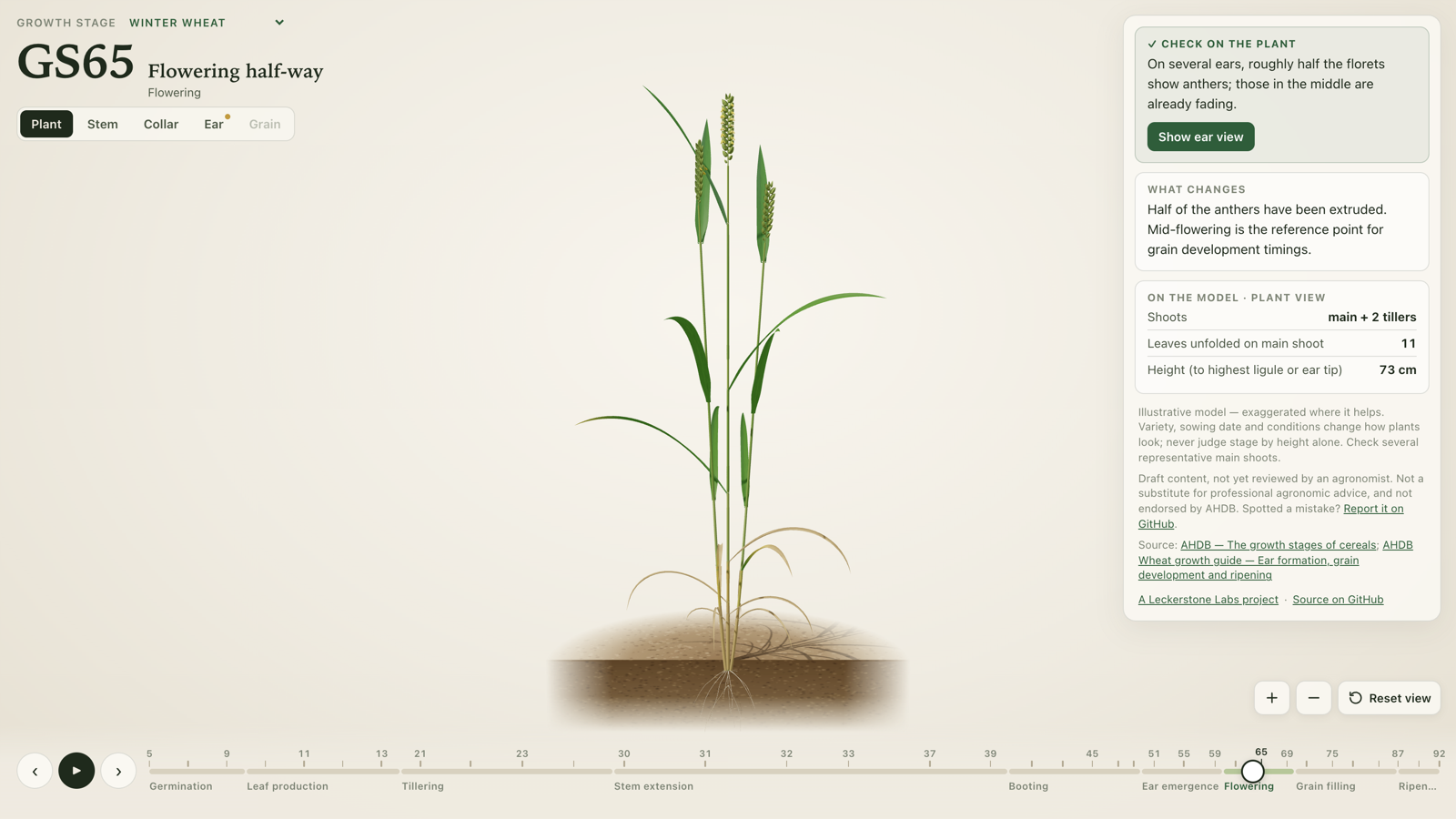
An animated 3D crop guide. Move the plant until it looks like yours, then check the feature that defines its growth stage.
- Category
- Software
- Stage
- Field testing
- Availability
- Open source
- Last update
The problem
Timing matters on an arable farm. Fungicide, growth regulator and nitrogen decisions all depend on the crop’s growth stage, and so do many product label limits. But working out the stage in the field is harder than the charts make it look.
A growth-stage chart is a row of codes and a handful of still drawings. You have to know roughly where you are before the chart helps, and the stages that matter most are the hardest to tell apart. A plant at GS31 and one at GS32 look much the same from the outside: the difference is inside the stem, and you only find it by stripping back the leaf sheaths and measuring. Telling GS37 from GS39 means finding the flag leaf’s ligule. Ripening stages depend on what the grain is like, not its colour.
Reading a small chart on a phone while standing in a crop doesn’t make any of that easier.
The idea
Turn the chart into a plant you can move through time.
Growth Stage shows one plant in 3D with a timeline underneath. Drag the timeline and the plant grows or goes back: leaves emerge, tillers form, the stem extends, the ear swells in the boot, emerges, flowers and ripens. When the plant on screen looks like the one in your hand, the app tells you the stage code, what has changed since the last stage, and the feature you should check to confirm it.
The animation gets you to the right part of the season. The check confirms the stage. Overall resemblance is never treated as the answer on its own, because variety, sowing date and the season all change how a crop looks.
What we have built
A working web app, free to use, covering three winter crops:
- Winter wheat and winter barley (two-row), using the Zadoks scale from GS05 to GS92 (grain hard).
- Winter oilseed rape, using the BBCH key as used by AHDB, from GS05 to GS89.
For each stage it shows the code and name, a short explanation of what changes, and the check to make on a real plant. The timeline is divided into phases (for cereals: tillering, stem extension, booting, ear emergence, flowering, grain fill and ripening), with more room given to the stages where decisions are made.
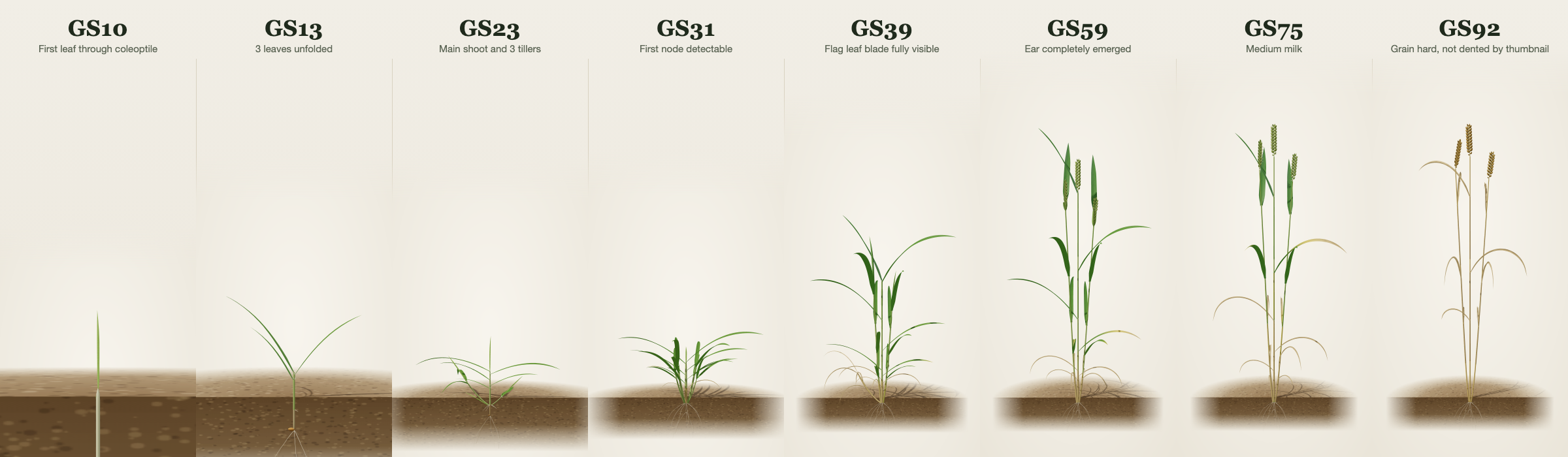
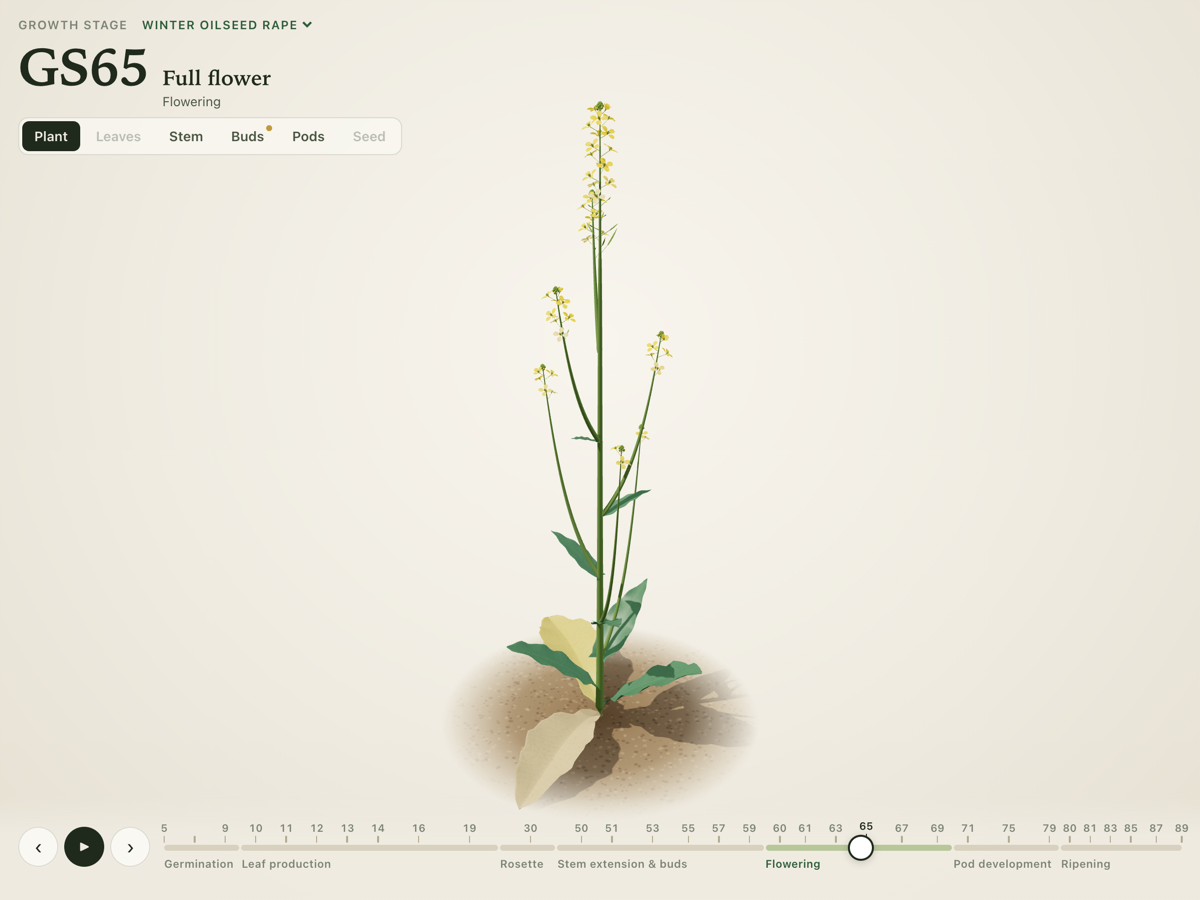
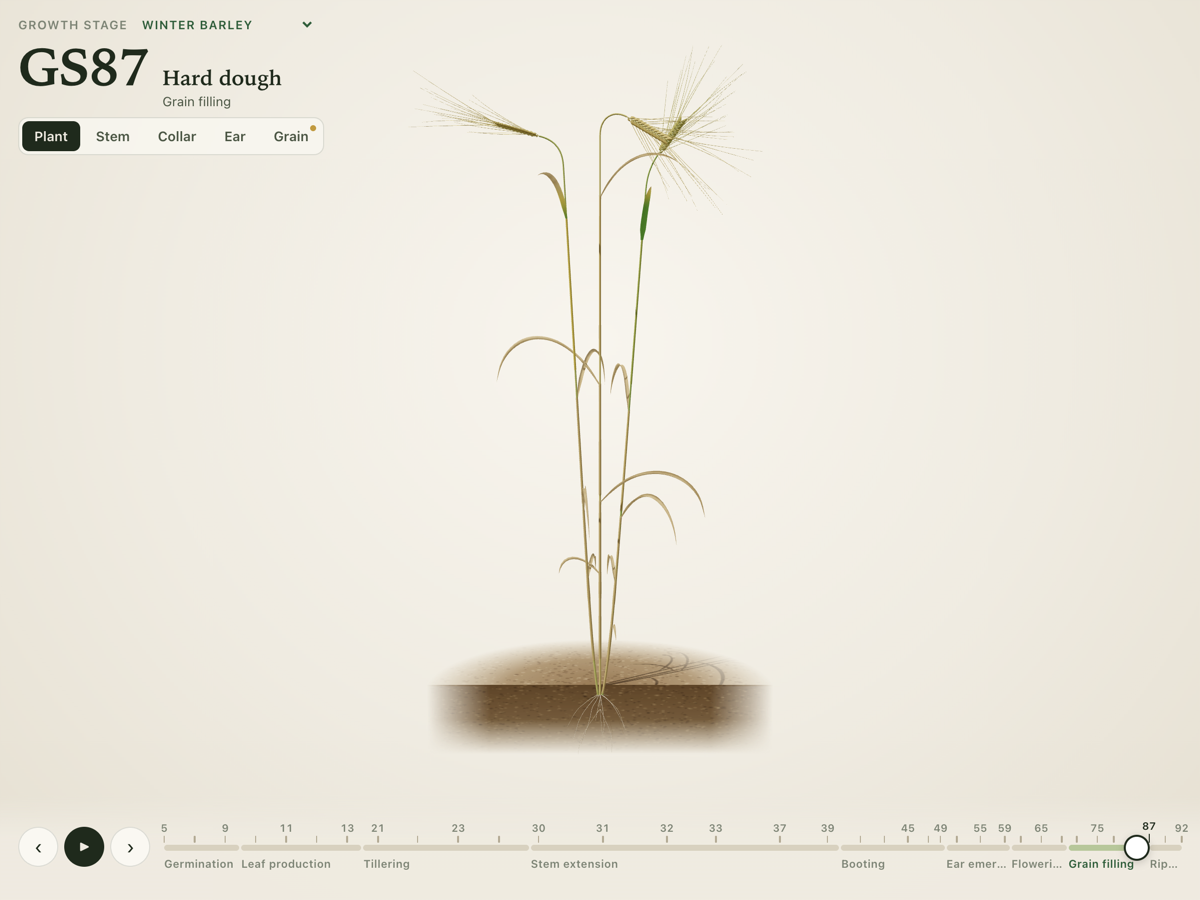
Inspection views show the detail you would look for in the field:
- Stem view for counting nodes: the leaf sheaths are cut away so the nodes, and the length of each internode, can be seen and measured.
- Collar view for the ligule and auricles, with the blade bent back the way you would with your thumb. This is how you confirm the flag leaf at GS39.
- Ear and grain close-ups for flowering and for how far the grain has filled and hardened.
- For oilseed rape: the leaves from above (numbered for counting), the buds as they rise clear of the leaves, the pods, and the seed inside an opened pod as it changes colour.
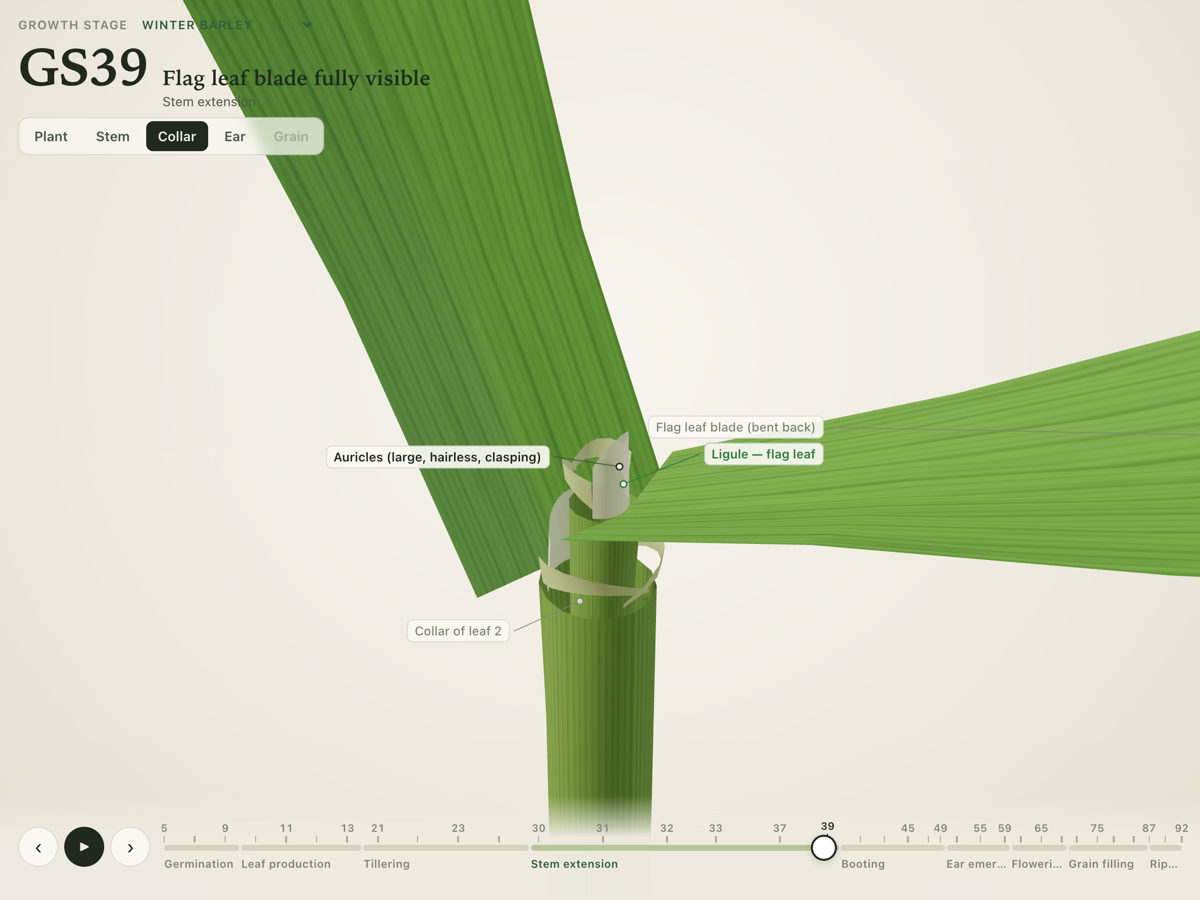
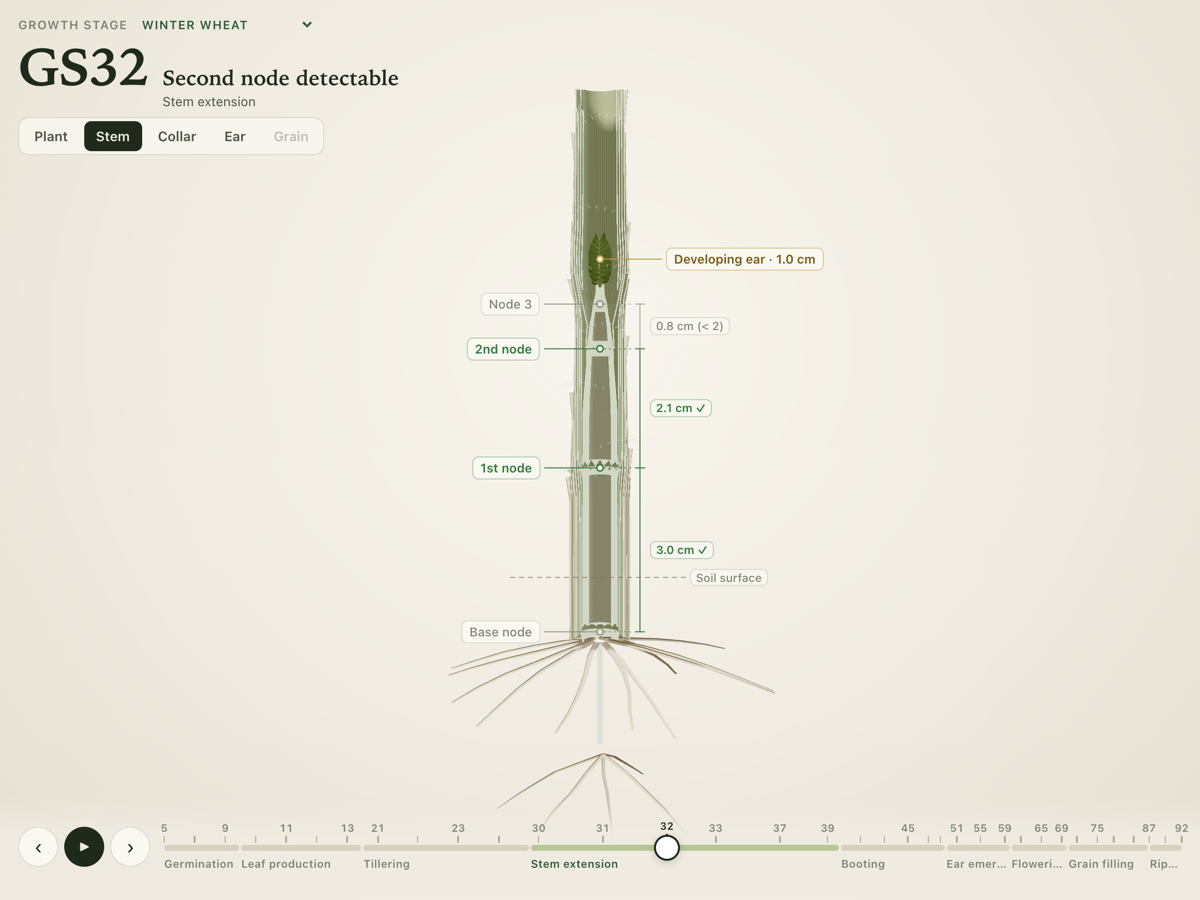
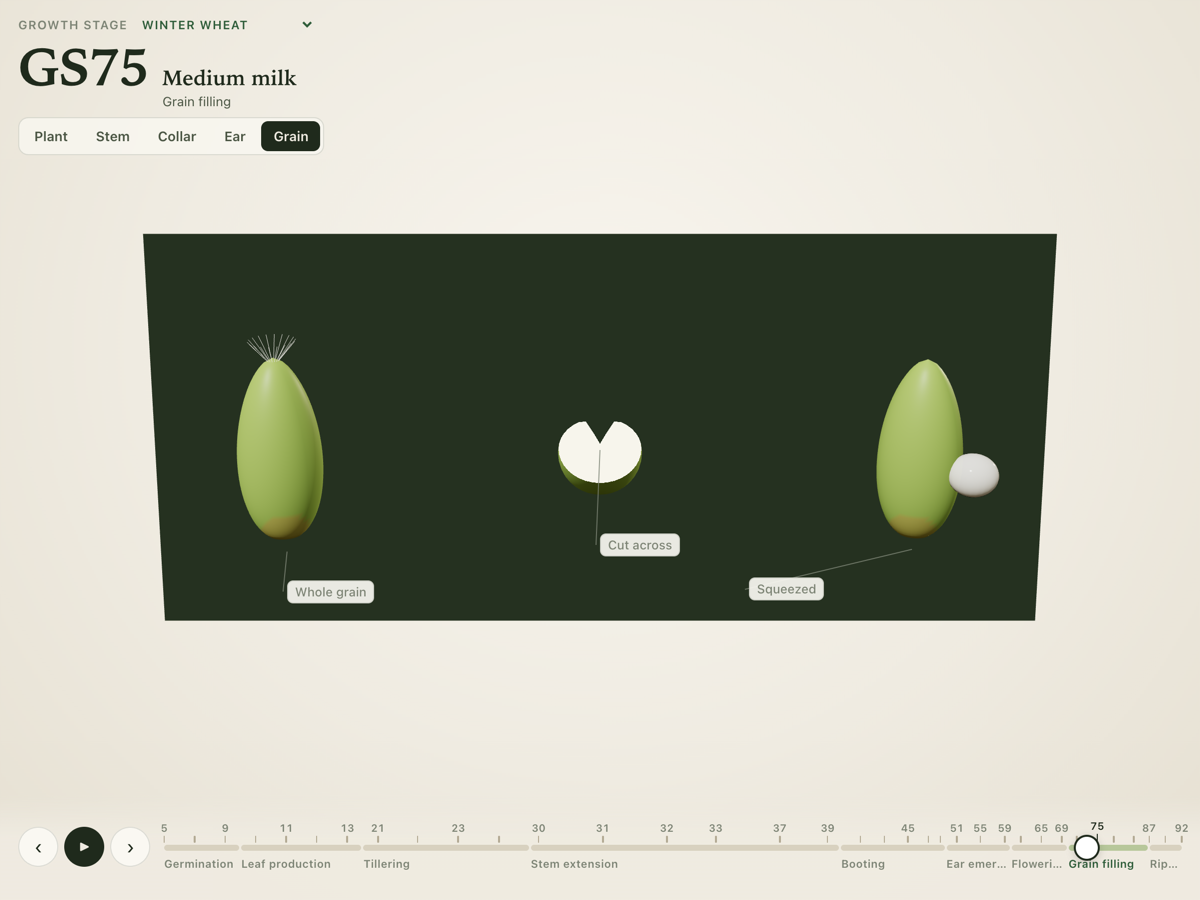
Some features are deliberately drawn larger than life so they can be seen on a small screen: the stem view can widen the plant, and the ligule, auricles and anthers are a little oversized. These exaggerations are labelled in the app wherever they appear.
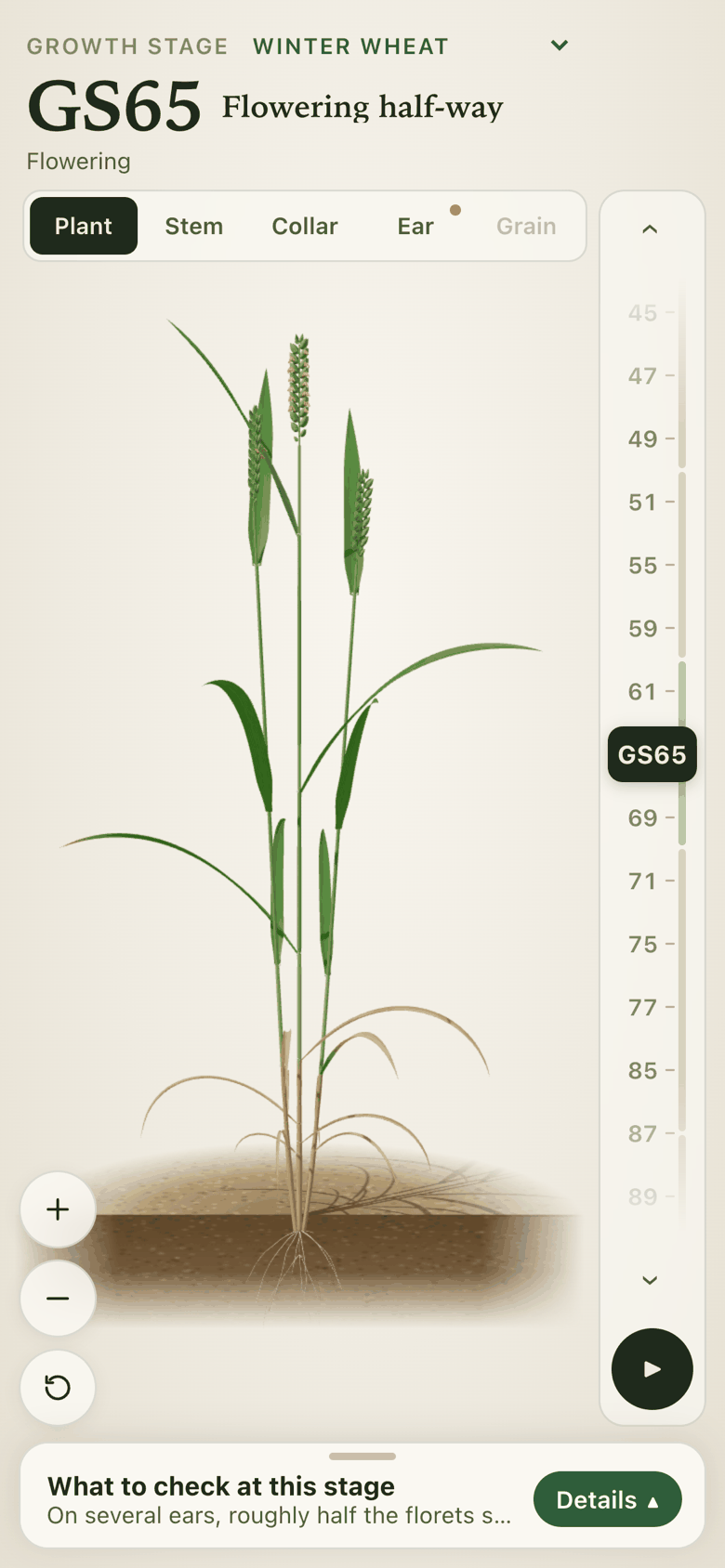
How it works
The plant isn’t a set of drawings. The app builds it from a description of how the crop grows: how many leaves it makes, when each one appears, when each internode starts to lengthen, how big the ear is, and so on. Each recognised stage has a set of values, and the app moves smoothly between them as you drag.
Because the plant is built this way, the features that define each stage come from the model itself rather than being painted on. The boot swells because the ear is growing inside the flag-leaf sheath. A node only counts once the internode below it is long enough, which is the same rule you use in the field. An automatic check confirms that the model meets the stage rules at every stage on the timeline before a change is published.
The app runs in an ordinary web browser, with nothing to sign up for. Once opened, it can be installed like an app and keeps working without a signal. The code is open source under the MIT licence.
Current status and next steps
Growth Stage is being tried in the field on our own crops. The stage descriptions and the plant model are a draft: they follow the published growth-stage guides and are being reviewed by an agronomist, and the app says so. Please don’t rely on it as your only reference yet.
If you spot something that looks wrong, or something that would make the guide more useful, we would like to hear about it. Open an issue on GitHub, or use the enquiry button below.
Next steps:
- Act on the agronomist’s review, then remove the draft label stage by stage.
- Add more crops, starting with spring barley and oats.
- Keep improving how the plant looks at the stages that are hardest to tell apart.
Links and enquiry
Interested in this project, or something similar for your own farm or business?